
Barracuda Email Encryption
and Data Loss Prevention
Protect your business and data with an easy, automated approach.

Overview:
Keep email communication private and secure.
Loss of sensitive data can lead to regulatory fines and reputational damage. Barracuda Email Protection helps keep email communication private.
Secure data at-rest and in-motion.
Traditional TLS-based systems encrypt emails and attachments during the transition process (in-motion), but they don’t keep the data encrypted on all the servers where they are stored (at-rest). Barracuda keeps all your emails protected wherever they reside.
Simplify compliance with granular encryption policies.
Barracuda makes it easy to create and enforce content policies to prevent sensitive data, such as credit card numbers, social security numbers, HIPAA data, customer lists, and other private information from being sent via email without additional security.
Leverage data protection that goes beyond encryption.
Email encryption is one of several data protection tactics used by Barracuda. Outbound email is scanned and filtered to prevent sensitive data from being leaked.
Go beyond traditional email encryption.
Deploying standalone email encryption services can be so cumbersome to manage and use that many users decide to bypass their organization’s secure communication policies. Barracuda provides simple email encryption that is extremely secure and part of a complete email protection solution. More important, Barracuda combines email encryption with other layers of data protection, including data-leak prevention, archiving, and filtering, that block malware and advanced threats.
Secure data in transit and on every server.
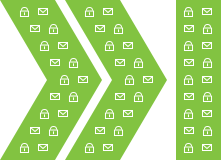
Transport Layer Security (TLS) provides a secure channel for data transmission, and ensures that all content, emails, and attachments are encrypted during transit. This is known as data-in-motion security because the data is secure during the actual transmission process.
However, TLS does not provide any security for data at-rest. This means that your emails and attachments may be unprotected while stored on sending and receiving servers, or on other servers and gateways that handle emails in transit. As a result, TLS alone doesn’t guarantee the security of your emails.
Barracuda encrypts all email and attachments on every server where they reside. If a user replies to an encrypted message, the reply is also automatically encrypted.
Use AES-256 encryption with automatic key management.
Barracuda uses 256-bit keys, commonly known as AES-256, to secure all encrypted emails. The keys are stored in Barracuda's geographically-distributed data centers, with multiple data copies to provide redundancy. The data centers maintain strict physical security and access control. As an added measure of control, the data centers and the keys used to encrypt the data are stored in separate areas.
Once an email is encrypted, a notification is sent to the recipient with a link to the Barracuda Message Center. Access to the message requires HTTPS. The recipient will be required to create a password for first-time access and then use this password for all subsequent access. Any replies are also sent via the Barracuda Message Center, to ensure security.

Simplify compliance with granular encryption policies.
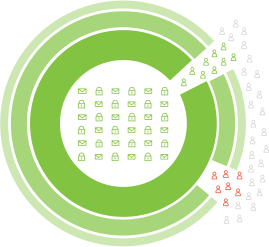
For encryption to be effective, you must ensure that it is used on emails that might contain sensitive or legally-protected information. This is critical for heavily-regulated industries, such as healthcare, finance, and legal organizations, which are required to secure certain categories of data.
With Barracuda, you can easily create policies to automatically encrypt emails based on the sender, recipient, keywords, domain, and many other criteria. This provides a safe and reliable way to share sensitive information with customers and partners. It reduces potential risk of data loss, while facilitating regulatory compliance.
Leverage data protection that goes beyond encryption.
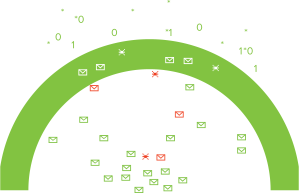
Email encryption can control who is able to access email once it leaves your organization. However, it doesn't stop unauthorized users from sending emails that contain sensitive data, such as credit card numbers, social security numbers, or HIPAA-protected information. Data Leak Prevention (DLP) automatically scans every outbound email for sensitive content. Based on the content, the email can be automatically encrypted, quarantined, or blocked.
Your data is further protected by email archiving that ensures email-retention policies are enforced with a tamper-proof copy of all email communications. In addition, Barracuda provides a full cloud-based backup of every email, to protect your data if your mail server becomes unavailable or important emails are deleted by users.

Features:
Email Encryption
Your emails can travel through many different servers before they reach the intended mailbox. Barracuda secures your mail by encrypting it during transport to the Barracuda Message Center, encrypting it at rest for storage in the cloud, and providing secure retrieval by your recipients through HTTPS Web access. Data in motion is secured via Transport Layer Security (TLS) and data at rest is secured via AES 256-bit encryption.
If you are sending a sensitive email, you can manually mark it for encryption. However, you can also create a policy to automatically encrypt emails based on their sender, content and other criteria. Encryption policies ensure that your organization complies with regulations designed to protect customer data, such as HIPAA.Data Loss Prevention
Outbound filtering keeps sensitive data from leaving your organization while simultaneously ensuring that legitimate emails are delivered. At the same time, outbound filtering blocks outbound spam and viruses, preventing your employees or other infected clients from inadvertently sending malicious email, as well as keeping your mail server IP addresses and domains from being listed on spam-block lists.
Employees can inadvertently allow their email to be used for botnet spam. The outbound filter stops outbound spam and the spread of viruses. Administrators can also create and enforce content policies to prevent sensitive data from being sent by email, such as credit card numbers, Social Security numbers, HIPAA data, customer lists, and other private information. Policies can automatically encrypt, quarantine, or block certain outbound emails based on their content, sender, or recipient.Plans:
Barracuda offers 3 ways to protect your email, data, users, and acess
Comprehensive Microsoft 365 Protection Starts Here.
Email Encryption and Data Loss Prevention are included in Barracuda Email Protection.

Protect users from all email threat types with secure email gateway combined with artificial intelligence.

Includes everything from Advanced.
Add automated post-delivery email incident response to your email security to save resources and secure your users mailboxes.

Includes everything from Premium.
Get comprehensive protection for Microsoft 365 by improving your resiliency with user training, data protection, email archiving, and zero trust access.
| Capabilities | Advanced | Premium | Premium Plus |
|---|---|---|---|
| PREVENT THREATS | |||
| Spam and Malware Protection Identify and block spam, viruses, and malware delivered via email messages. Using virus scanning, spam scoring, real-time intent analysis, URL link protection, reputation checks, and other techniques, Barracuda scans email messages and files. |
|||
| Attachment Protection Barracuda combines behavioral, heuristic, and sandboxing technologies to protect against zero-hour and targeted attacks. A sandbox environment is used to detonate and observe behavior of suspicious attachments. |
|||
| Link Protection Link Protection automatically rewrites URLs so that Barracuda can sandbox the request at click time to block malicious links. |
|||
| Email Continuity In the event of a mail server outage or loss of connectivity, an emergency mailbox lets users continue to send and receive emails, staying productive until your primary servers are back online. |
|||
| Phishing and Impersonation Protection Automatically detect and prevent impersonation, business email compromise, and other targeted attacks. Barracuda’s AI engine learns each organization's unique communication patterns and leverages these patterns to identify anomalies and prevent socially engineered attacks in real time. |
|||
| Account Takeover Protection Stop phishing attacks used to harvest credentials for account takeover. AI detects anomalous email behavior and alerts IT, then finds and removes all fraud emails sent from compromised accounts. |
|||
| Domain Fraud Protection Prevent email domain fraud with DMARC reporting and analysis. Barracuda provides granular visibility and analysis of DMARC reports and helps you minimize false positives, protect legitimate email, and prevent spoofing. |
|||
| Web Security Protect users from accessing malicious web content with advanced DNS and URL filtering. |
|||
| Zero Trust Access for Microsoft 365 Mitigate breach risks for remote employees and contractors and reduce your exposure to lateral attacks on Microsoft 365 applications by deploying continuous verification of user and device identity and trust. |
|||
| DETECT AND RESPOND | |||
| Automatic Remediation All user-reported messages are automatically scanned for malicious URLs or attachments. When a threat is detected, all matching emails are automatically moved from users' mailboxes into their junk folders. |
|||
| SIEM/SOAR/XDR Integration Orchestrate incident response cross-product with RESTful API (beta) and syslog integrations. Remotely administer and configure incident response capabilities and store your event data for tracking, analysis, and troubleshooting. |
|||
| Threat Hunting and Response Quickly identify and efficiently remediate post-delivery threats by automating investigative workflows and enabling direct removal of malicious emails. |
|||
| Automated Workflows Build custom playbooks to completely automate your incident response process. Admins at any technical level can create a workflow by defining a trigger, determining conditions, and assigning the desired actions through a simple user interface. |
|||
| Attack Simulation Simulated phishing attacks are constantly updated to reflect the most recent and most common threats. Simulations are not limited to email, but also include voice, SMS, and portable-media (USB stick) attacks. |
|||
| Security Awareness Training Get access to advanced, automated education technology that includes simulation-based training, continuous testing, powerful reporting for administrators, and active incident-response awareness. |
|||
| SECURE DATA, ENSURE COMPLIANCE | |||
| Email Encryption Secures your mail by encrypting it during transport to the Barracuda Message Center, encrypting it at rest for storage in the cloud, and providing secure retrieval by your recipients through HTTPS web access. Create a policy to automatically encrypt emails based on their sender, content, and other criteria. |
|||
| Data Loss Prevention Create and enforce content policies to prevent sensitive data, including credit card numbers, Social Security numbers, HIPAA data, customer lists, and other private information, from being sent by email. Policies can automatically encrypt, quarantine, or block certain outbound emails based on their content, sender, or recipient. |
|||
| Cloud Archiving A cloud-based, indexed archive allows for granular retention policies, extensive search, role-based auditing/permissions, legal hold, and export. Easily comply with e-discovery requests and regulatory or policy-retention requirements. |
|||
| Cloud-to-Cloud Backup Get data protection and cloud backup for Office 365 data, including Exchange Online mailboxes, SharePoint Online, OneDrive for Business, and Teams. Fast point-in-time recovery in the event of accidental or malicious deletion. |
|||
| Data Inspector Automatically scan your OneDrive for Business and SharePoint data for sensitive information and malicious files containing malware. Use it to develop policies that comply with GDPR, CCPA, and other data privacy regulations. |
|||